CASE STUDY _ 01

Asaan Qanoon

AI legal assistant — designed and coded end-to-end.

THE PROBLEM

Legal language in Pakistan is written for lawyers, not for the people who need it. Someone going through a divorce, a property dispute, or a criminal case often doesn't know their rights or what steps to take — the law exists, but it isn't written in language they can use. I built Asaan Qanoon to close that gap across family, property, and criminal law: a user asks a plain question — “How do I file for divorce in Pakistan?” — and the AI answers with the applicable law and the actual steps to follow, in English, Urdu, or Roman Urdu.

WHAT I DID

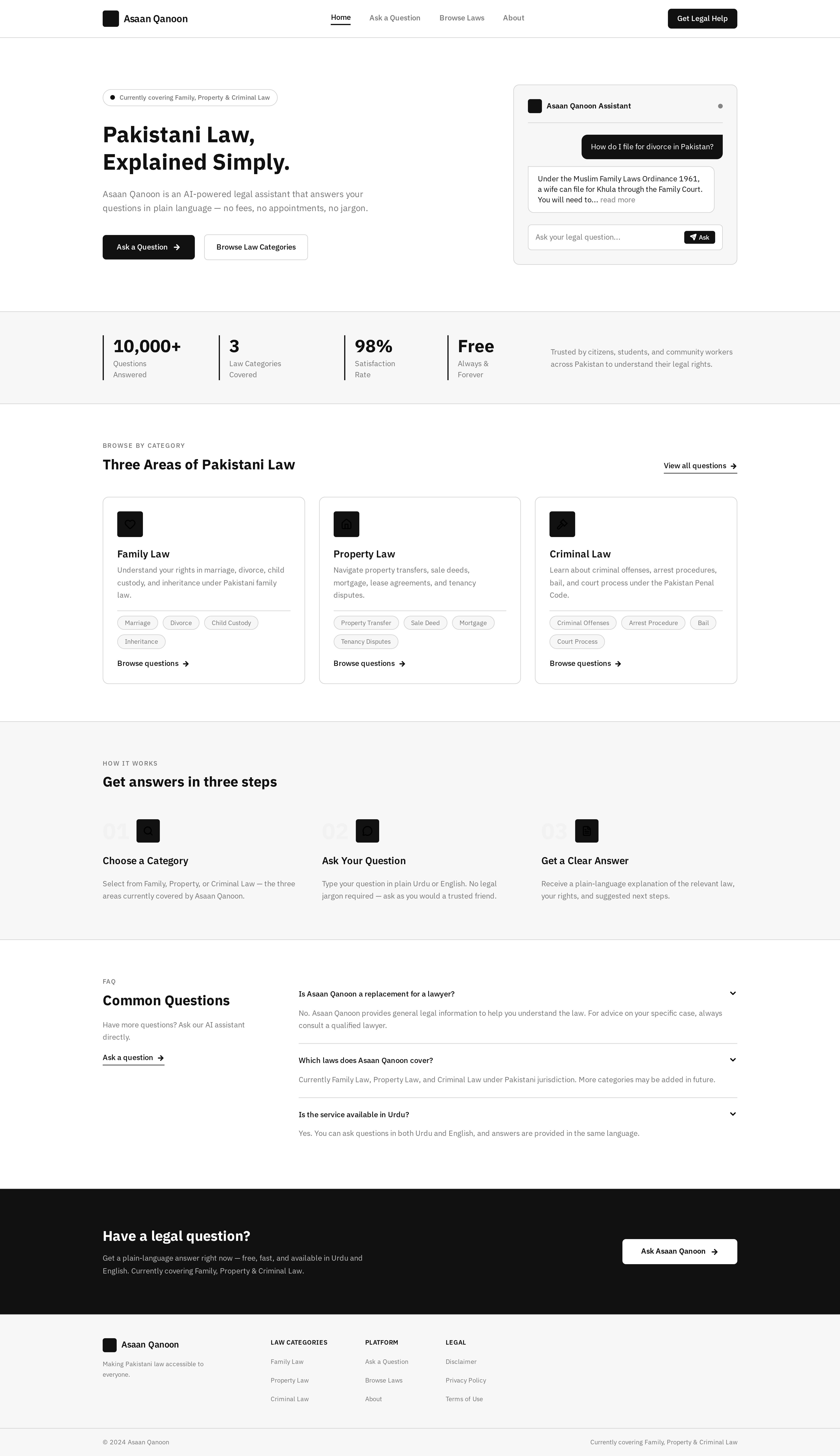
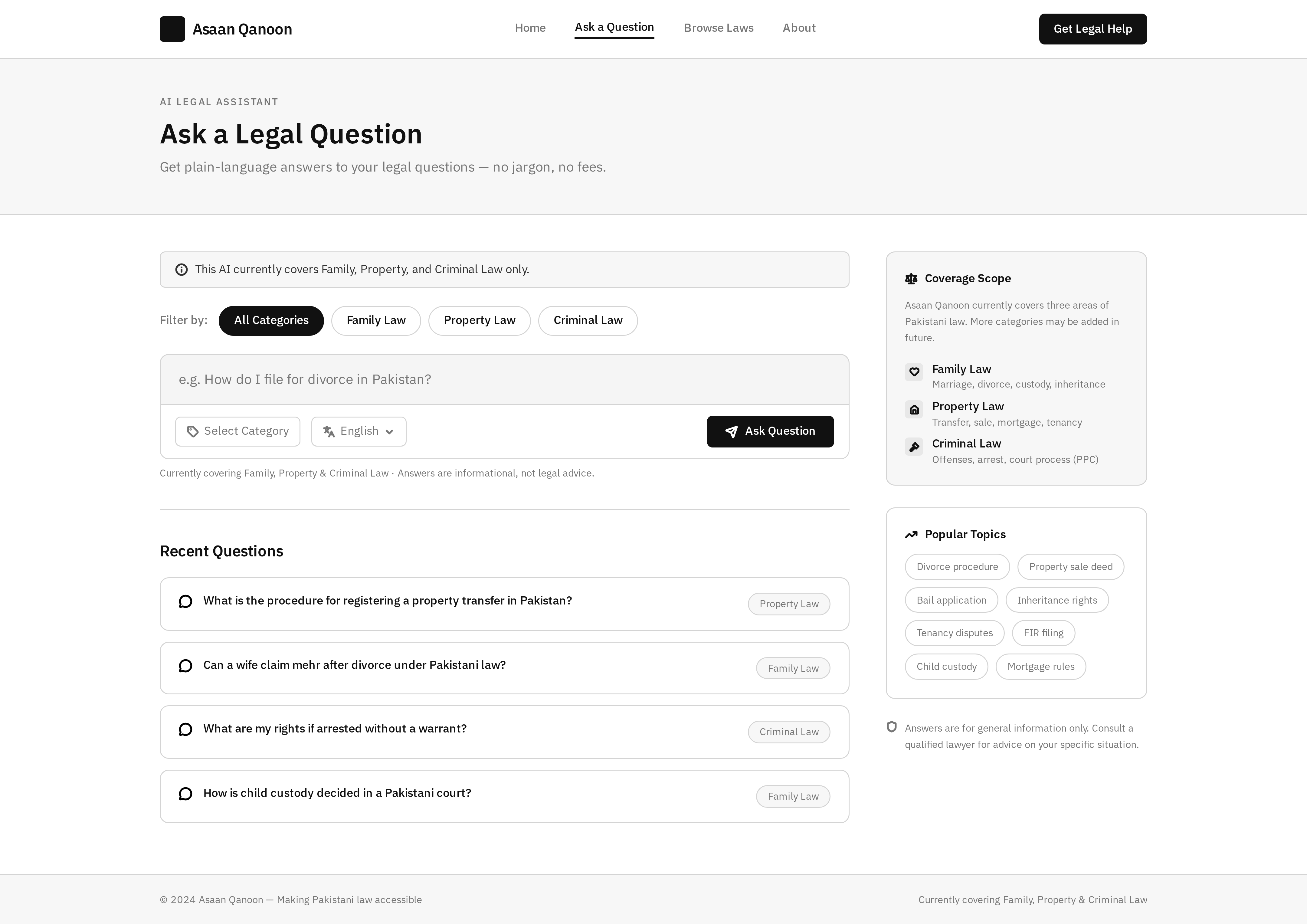
I designed a flow that gives users the words before it asks them to use one: Hero → Browse by Category → Ask Question → About. The home page lays out three categories — Family, Criminal, Property — so a user recognizes their situation instead of having to name it themselves. From there they can ask freely in a proper chat box, in English, Urdu, or Roman Urdu, so users who don't read English aren't locked out either.

I used black and white as the core color scheme — the same colors as a lawyer's uniform in Pakistan — so the interface signals what it is before a user reads a single word.
asaan_qanoon.web
Asaan Qanoon Home Screen
HOME
Asaan Qanoon Ask Question Screen
ASK QUESTION
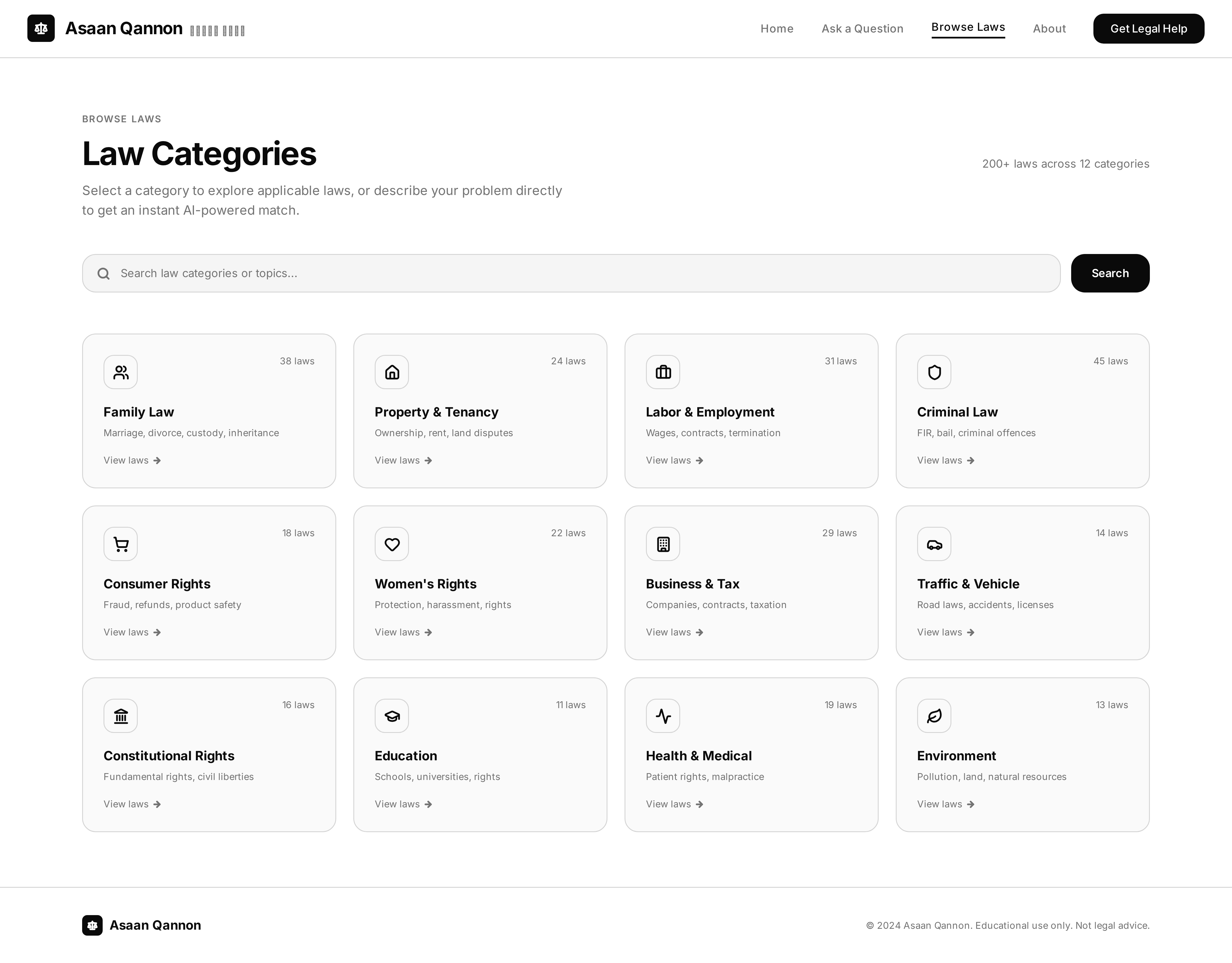
Asaan Qanoon Browse by Category Screen
BROWSE BY CATEGORY
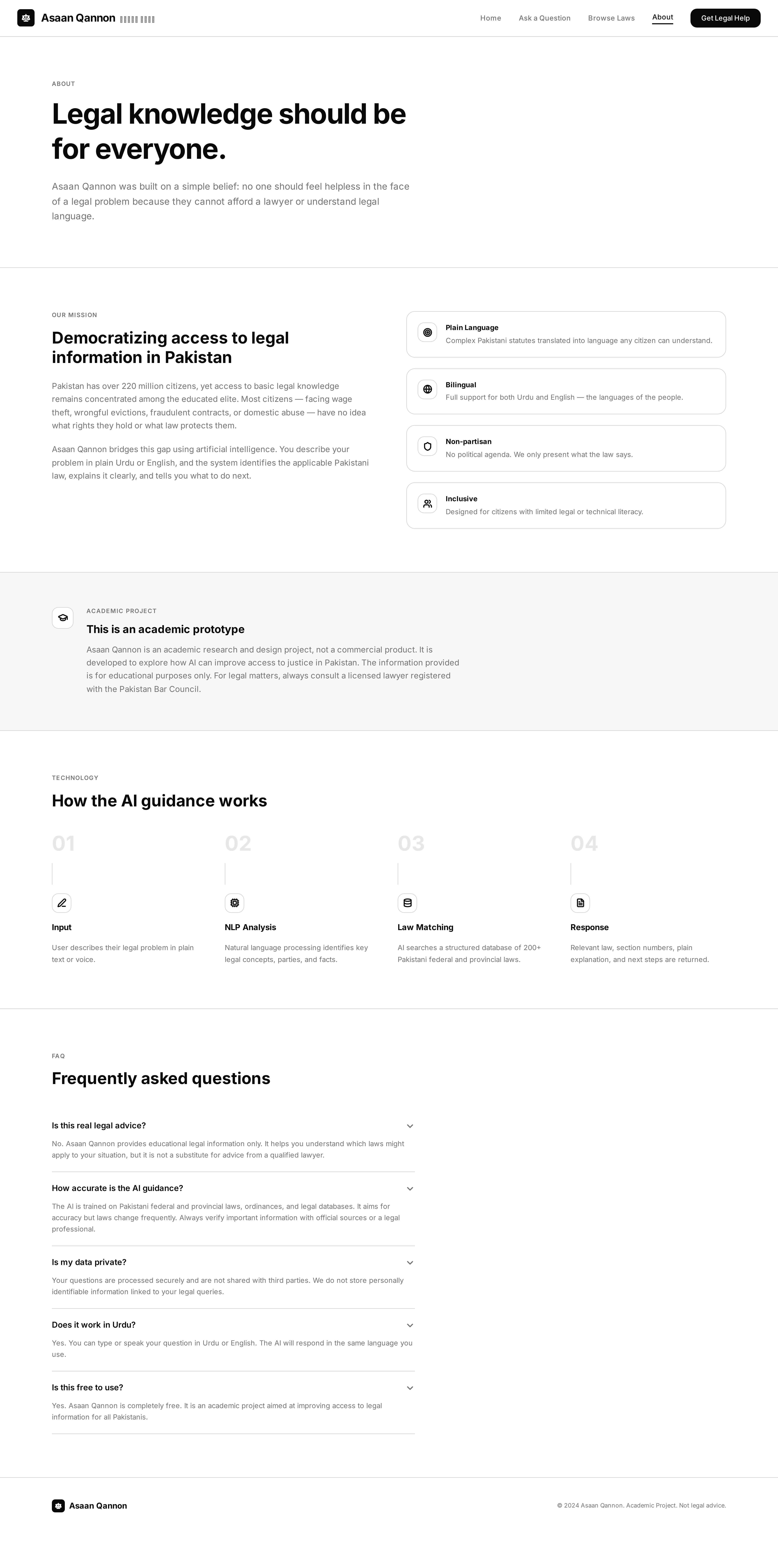
Asaan Qanoon About Screen
ABOUT
UI Design Front-end Back-end

What I Chose Not to Build

I considered adding a “connect with a real lawyer” option. I cut it — not because it was hard to code, but because I had no real lawyers to put behind it, and I wasn't going to ship a feature I couldn't back up. I built and coded the entire app myself, front to back, so every design decision here was made against what I actually knew I could deliver.

Outcome

Asaan Qanoon is complete and working end-to-end — every line of code, mine. I tested it informally with friends, family, and a teacher; the flow held up, no one got stuck navigating it.
View Code


CASE STUDY _ 02

FINFLOW

A Freelance Finance Dashboard — helps freelancers manage transactions, taxes, and invoices in one place.

THE PROBLEM

Freelancers across design, development, and content creation share a universal struggle: they don't have a clear, real-time view of their financial health. Their income is irregular, business and personal transactions are mixed in the same bank account, and tax obligations feel like a "moving target" with estimated payments, deductible guesswork, and currency conversions. Without an automated system, they waste 5–8 hours per month on manual spreadsheet tracking, reconstructing hours from thin air, and chasing clients who delay payments. Overdue invoices disrupt cash flow and make expense planning impossible. The anxiety peaks at tax season—when watching savings drain for quarterly estimates, they're convinced they miscalculated and the government is about to audit their entire existence.

WHAT I DID

I designed FinFlow, a freelance finance dashboard that empowers freelancers to track income, organize expenses, automate tax calculations, and send professional invoices directly to clients—all from a single interface. My process go through: User persona → User Journey Map → Competitor Analysis → User Flow → Wireframing → UI Design → Prototyping → Usability Testing → Handsoff.

Color Strategy

I chose Indigo (#4F46E5) as the primary color to convey trust, professionalism, and financial reliability—essential for a tool that handles users' money and sensitive data. Green represents income and positive cash flow, while soft red indicates expenses without triggering anxiety (a key insight from user testing). The neutral grayscale background ensures data visualization remains the focal point, making financial information scannable at a glance.

Typography Strategy

I selected Inter for headings—a clean, modern sans-serif that offers excellent readability across screen sizes and conveys professionalism and clarity. For body text, I chose IBM Plex Mono, a monospaced font that reinforces the financial and data-driven nature of the dashboard, making numbers, transaction amounts, and code-like information instantly recognizable. The combination creates a clear visual hierarchy: Inter guides the user through sections, while IBM Plex Mono adds precision and trust to financial data.

freelance_finance_dashboard
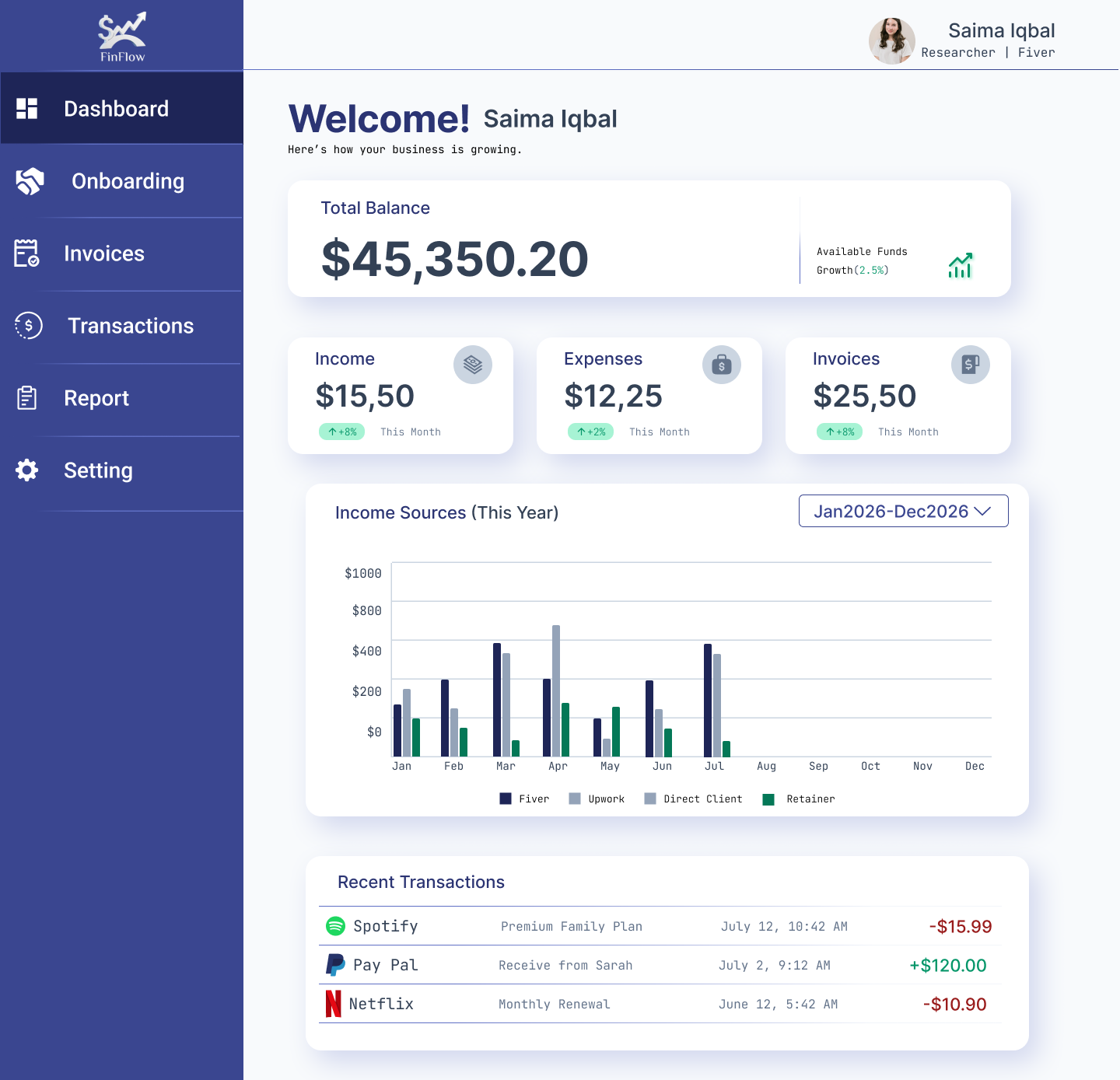
Finflow Dashboard
Dashboard
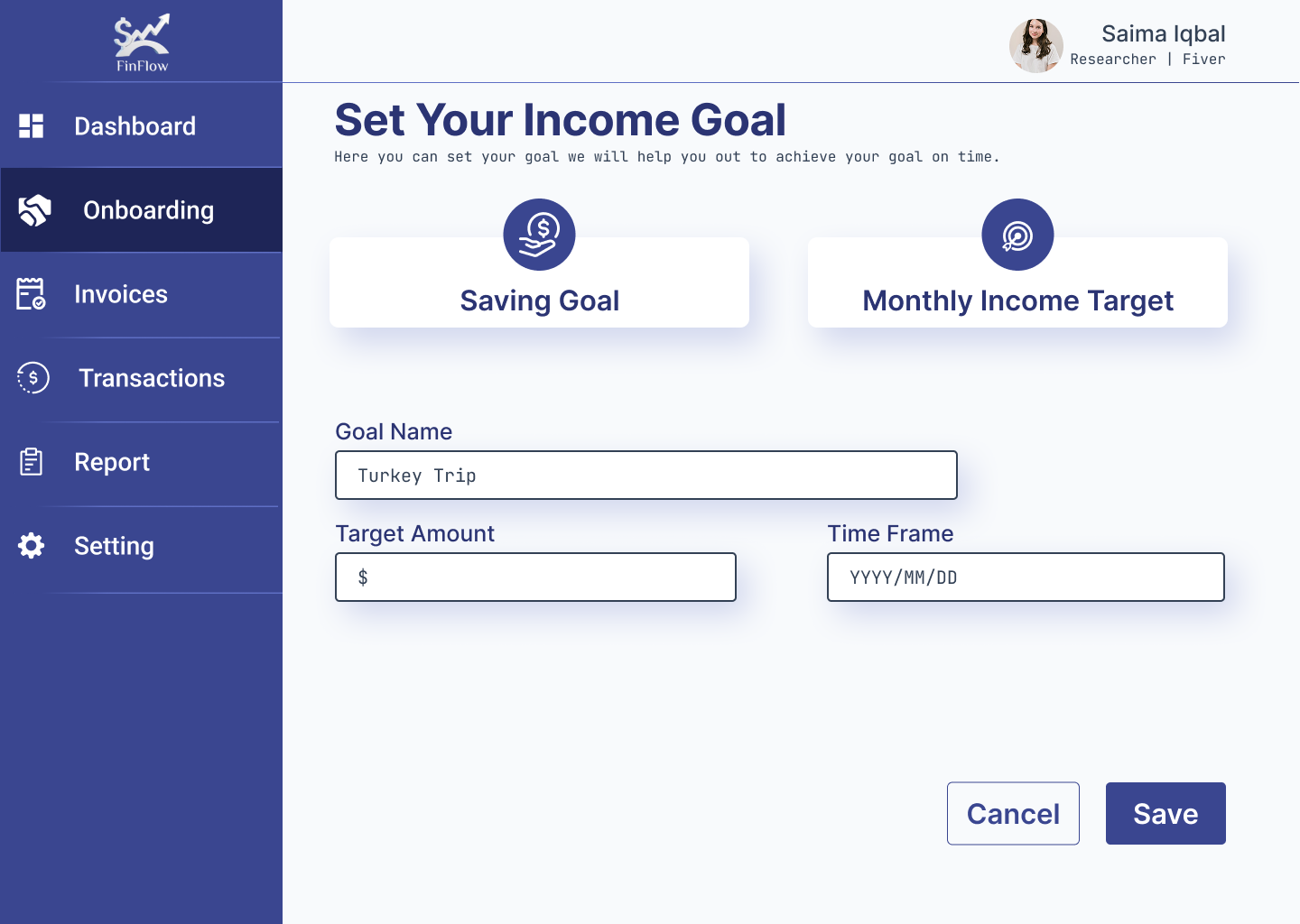
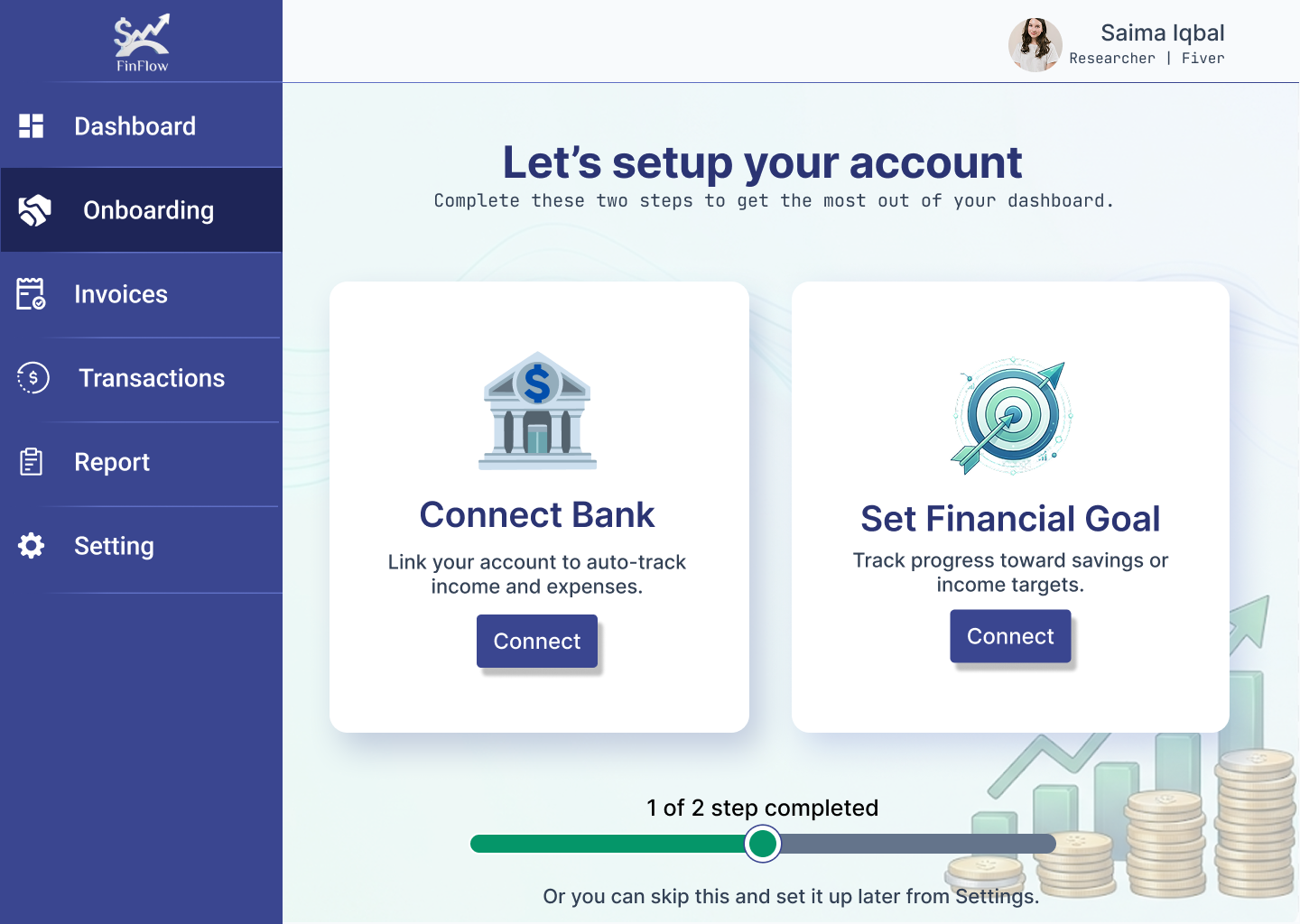
Onboarding
Onboarding
Set Financial Goal
Set Financial Goal
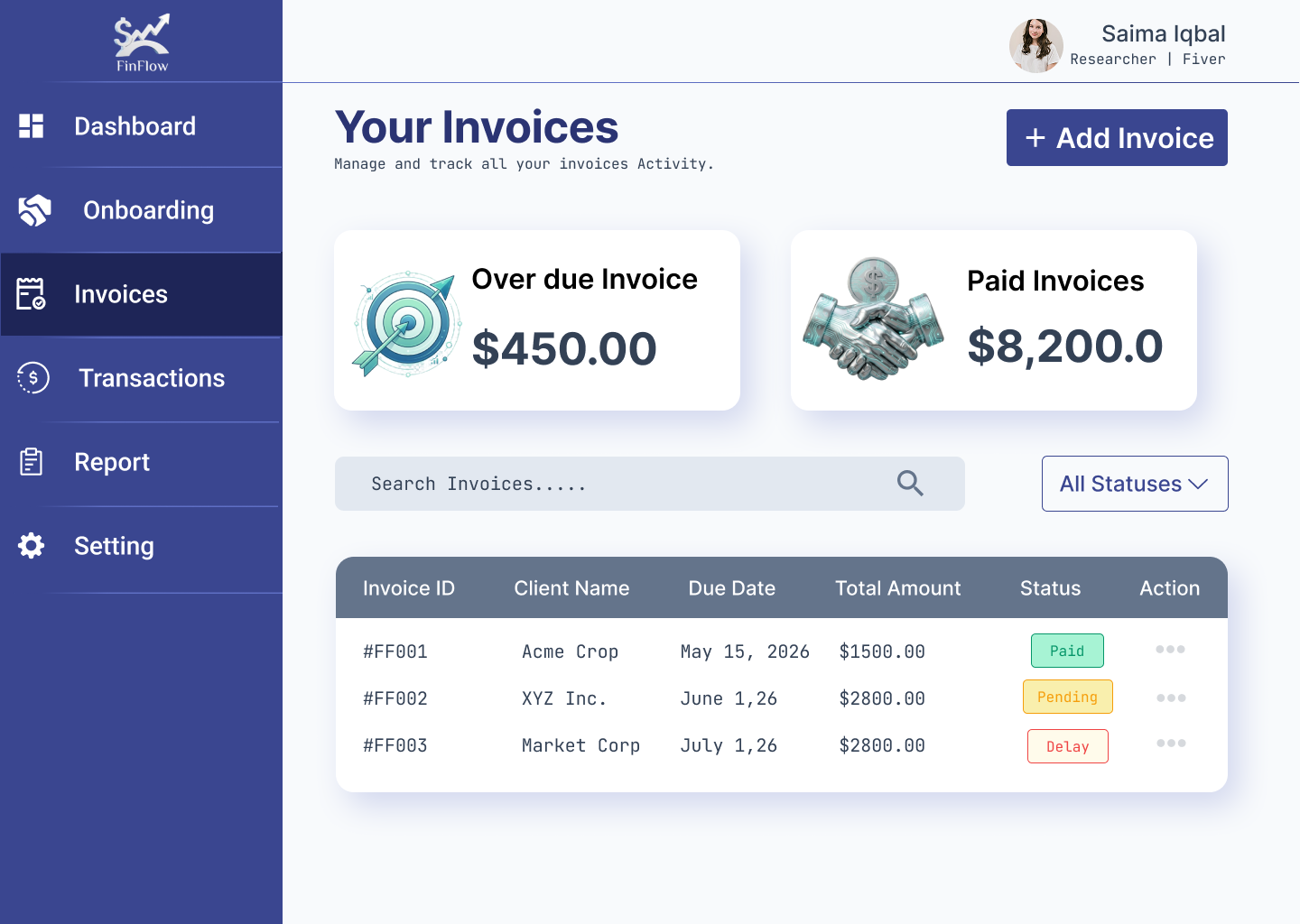
Invoices
Invoices
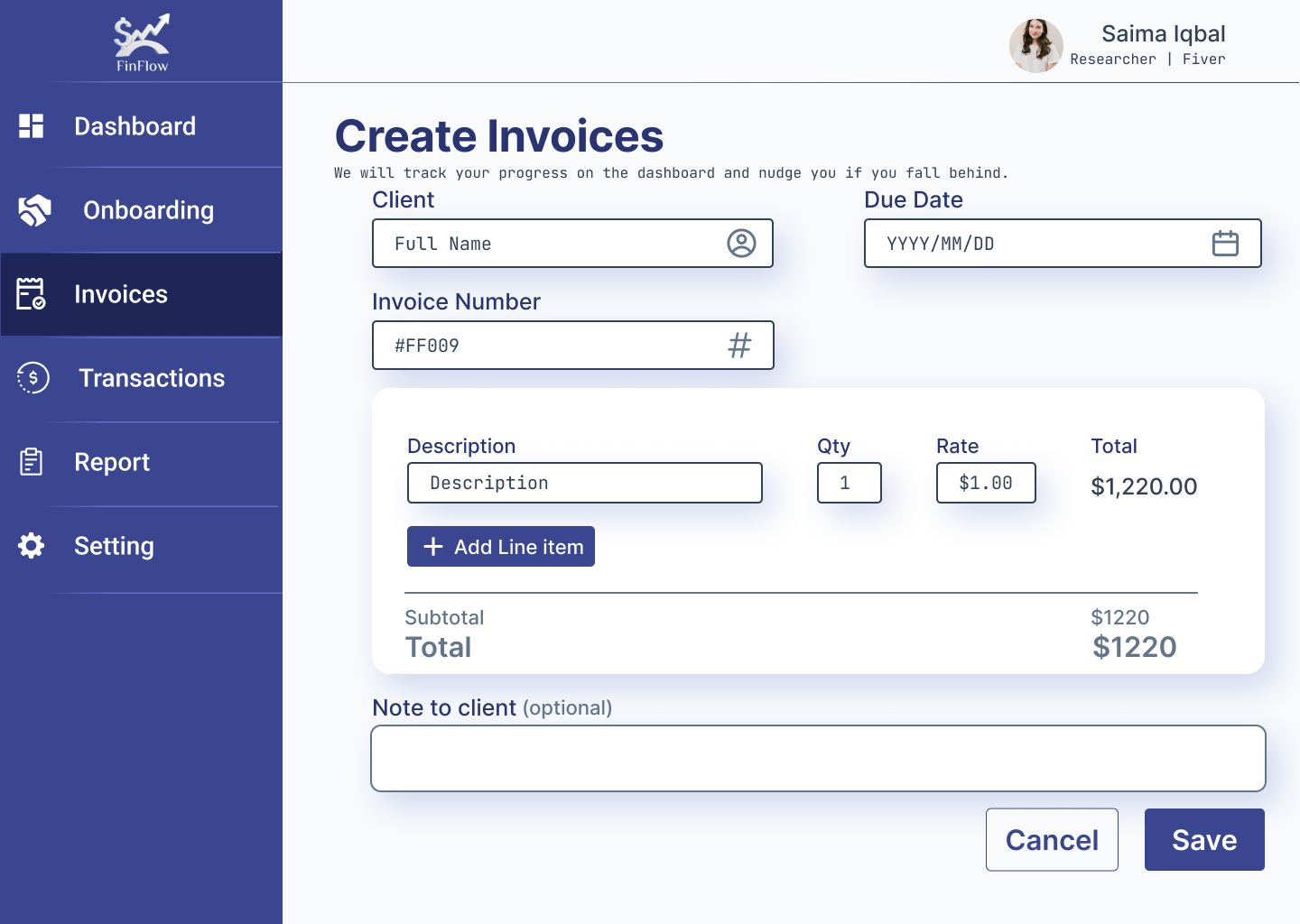
 Create Invoices
Create Invoices
UX UI

What I Chose Not to Build

I deliberately chose not to build a full accounting suite with advanced features like profit/loss statements, balance sheets, or inventory management—these would overwhelm freelancers who aren't accountants. I also avoided complex budgeting tools and investment tracking, as user research revealed freelancers' primary needs are cash flow visibility, tax clarity, and invoice management. Instead, I focused on the core essentials: a visual dashboard, tax automation, and one-click invoicing—features that directly address the top three pain points identified in user interviews.

Outcome

The final design delivered a clean, visual-first dashboard that answers freelancers' most urgent question—"How much money do I actually have?"—within seconds of opening the app. Usability testing showed a 100% task completion rate for tax calculation and invoice generation, with users reporting reduced financial anxiety and a clearer understanding of their cash position. The automated tax jar and one-click invoicing eliminated 5–8 hours of monthly manual work, giving freelancers more time to focus on their craft.

View In Figma